1. Open your CRM from the portal
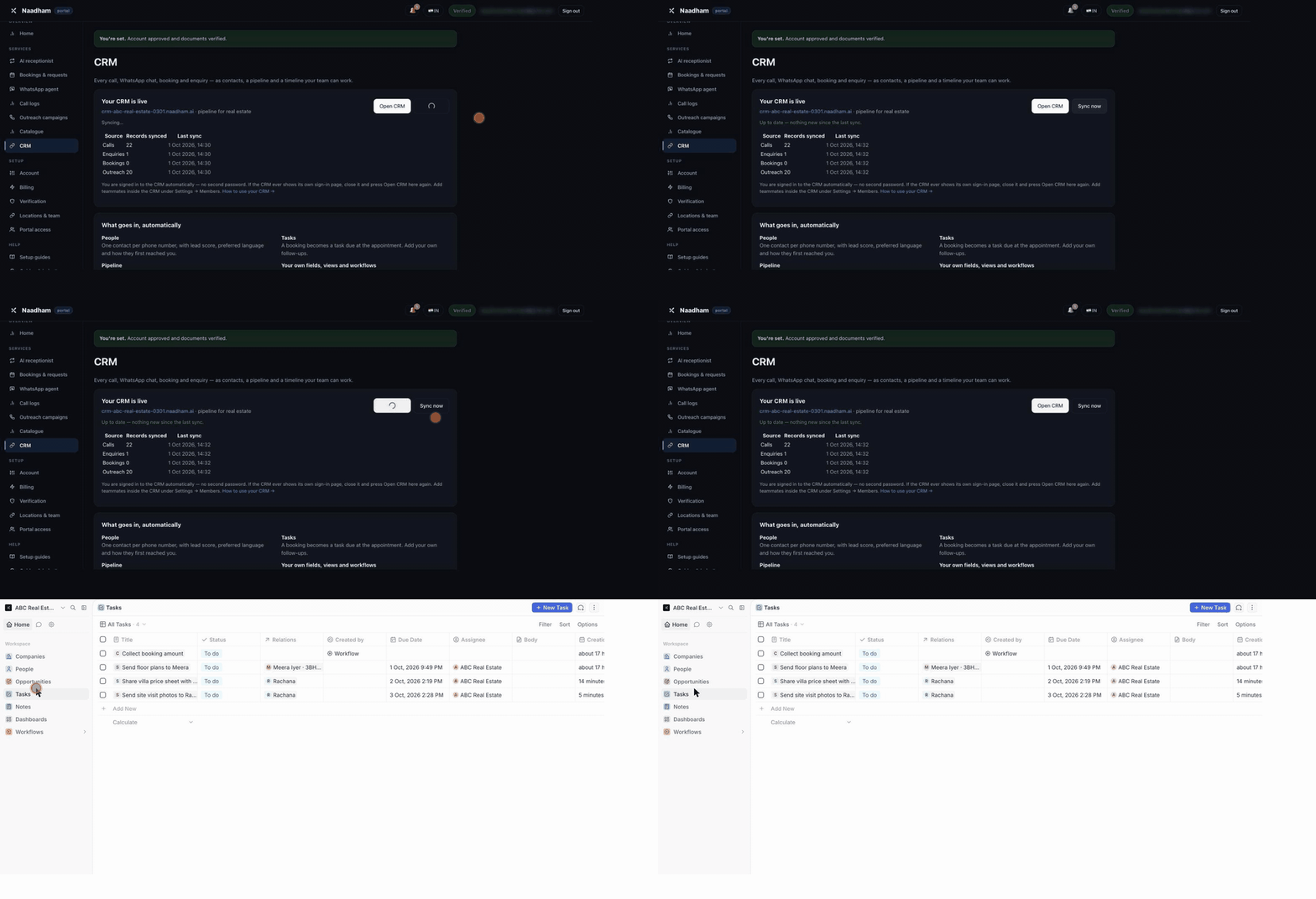
Portal → CRM. Your CRM opens right there in the portal, already signed in; press Full screen for more room. Use Sync now if you have just had a call and want it in the CRM straight away.
GROWTH · SCALE · ENTERPRISE
Eligible calls, WhatsApp and web chats with a phone number, bookings and outreach activity sync into your CRM as contacts, opportunities, notes and tasks. Your team can work a pipeline configured for its business type and review each contact’s history.
Naadham AI, also branded Naadham SI, includes a CRM workspace on active Growth, Scale and Enterprise plans after your business admin creates it. Activity sync connects your Naadham receptionist to this included workspace; Starter does not include CRM.
This guide describes the included workspace, rather than a native connector to every external CRM or calendar. For custom integrations, review the public API reference and confirm the required workflow with your team before rollout. CRM inclusion does not change voice, WhatsApp or outreach availability and activation requirements.
Compare plans and usage · US assisted activation · India availability
The portal's CRM page also shows how many calls, chats, bookings and outreach attempts have been synced and when. Sync now pulls anything new immediately; otherwise it happens every two minutes.
Recorded in a real test workspace (ABC Real Estate). Your stages and fields follow your own business type.
Portal → CRM. Your CRM opens right there in the portal, already signed in; press Full screen for more room. Use Sync now if you have just had a call and want it in the CRM straight away.
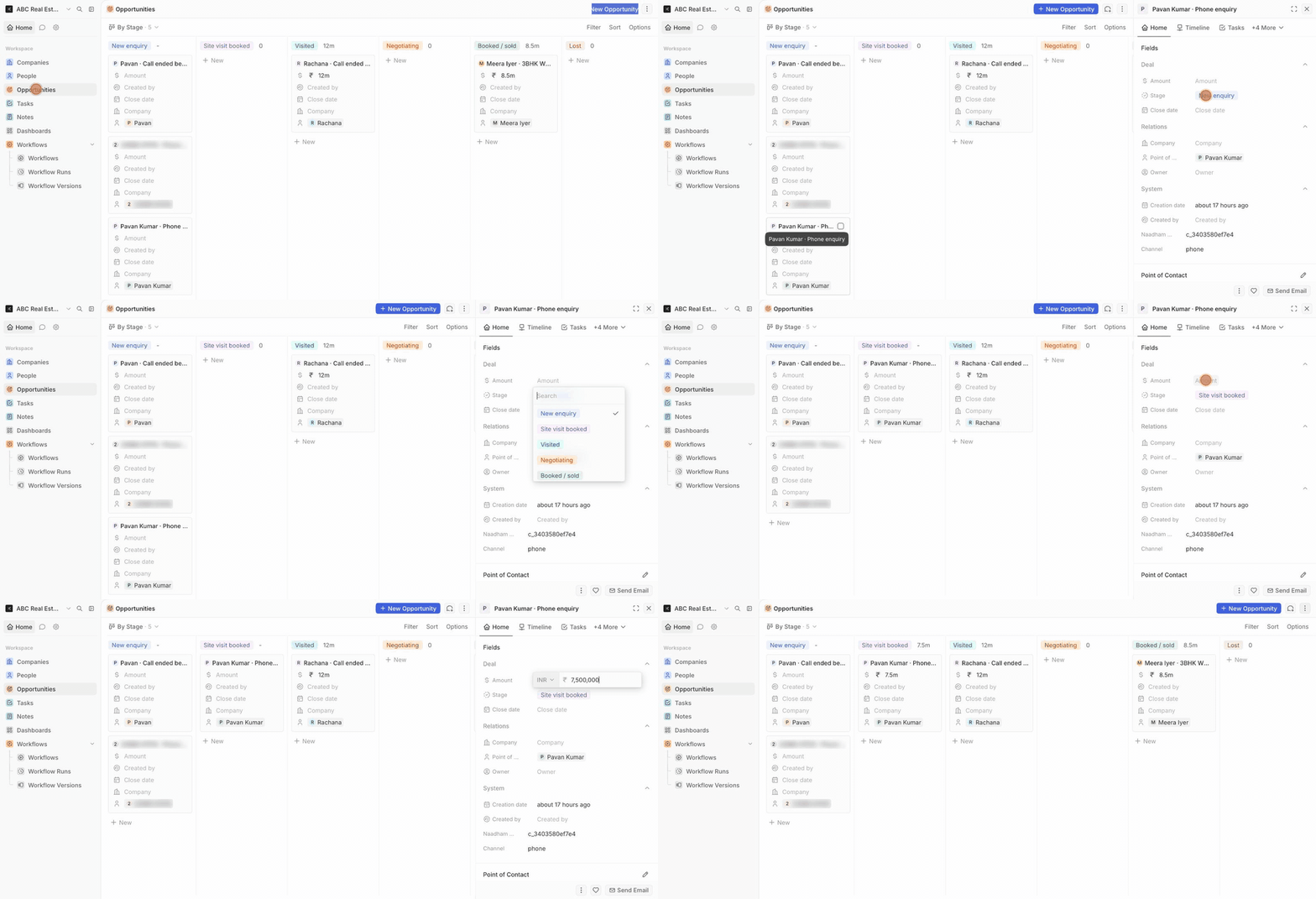
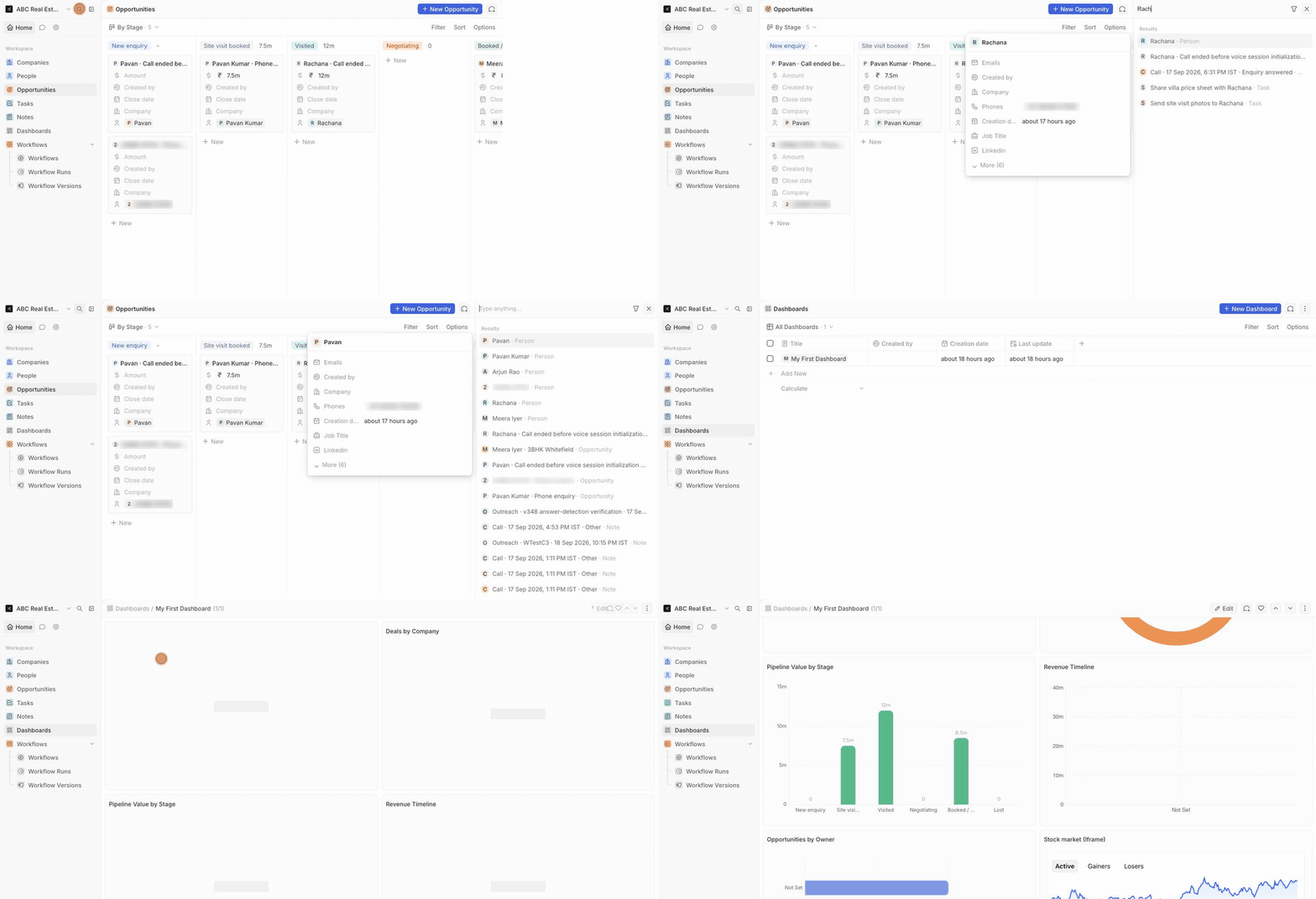
Open Opportunities and switch the view to By Stage. Every column is a stage of your business's pipeline; every card is a deal with its contact. Open a deal and change its Stage (or drag the card) as it progresses. Add the amount, close date and owner.
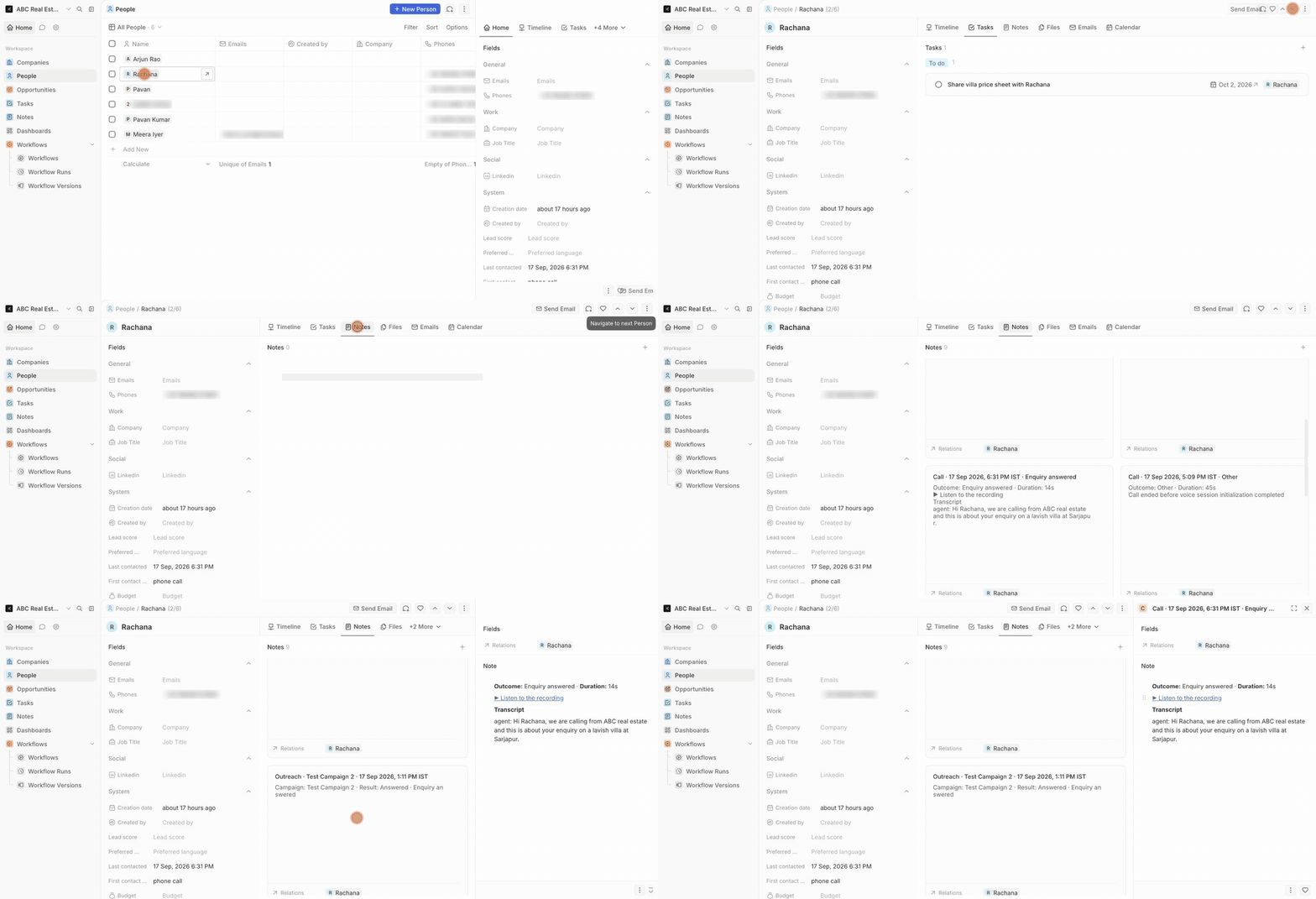
Open People and select a contact. Timeline shows everything that happened; Notes has one note per call, chat and outreach attempt — outcome, duration, the summary, the full transcript and ▶ Listen to the recording. The recording link plays only that one call.
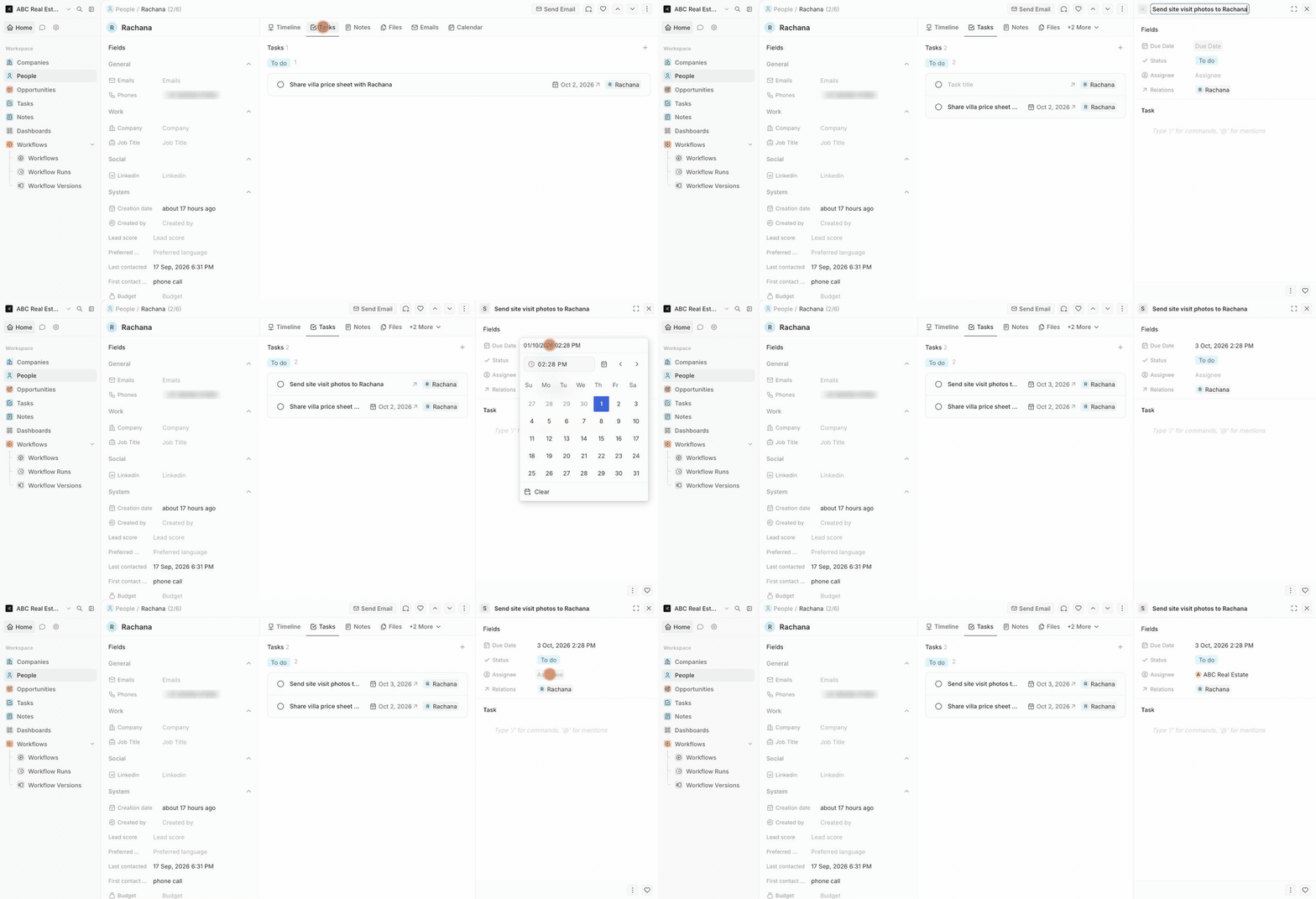
On a deal or contact, open Tasks → New task. Give it a title, a due date and an assignee. Bookings made by your receptionist arrive as tasks automatically, due at the appointment time. All tasks are listed under Tasks in the left menu.
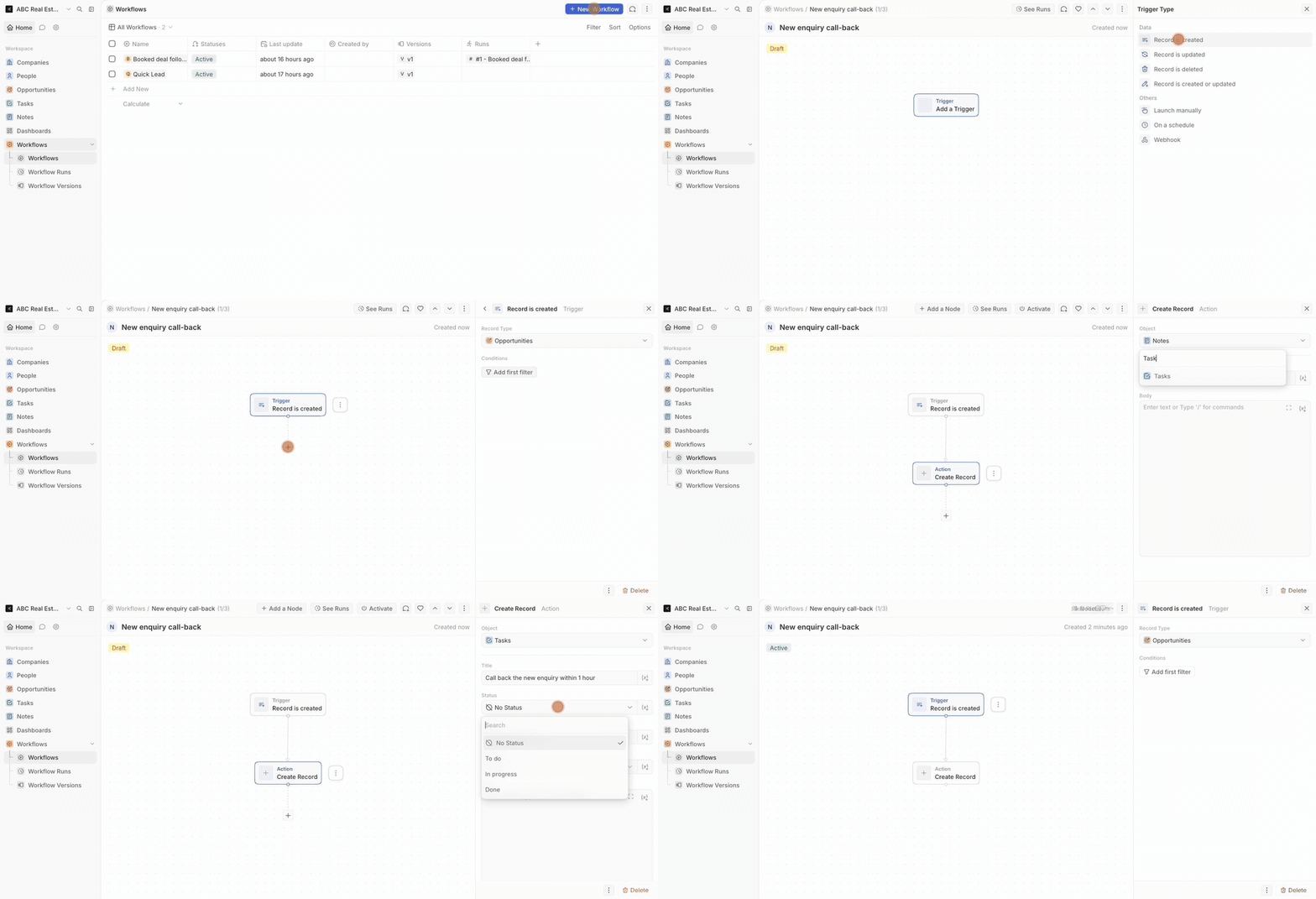
Workflows → New Workflow. Example: trigger Record is created on Opportunities; action Create Record → object Tasks, title "Call back the new enquiry within 1 hour", status To do. Activate it. From then on every new deal — including the ones Naadham adds from calls and chats — gets a call-back task by itself. Use Record is updated on Stage instead to act when a deal reaches a stage.
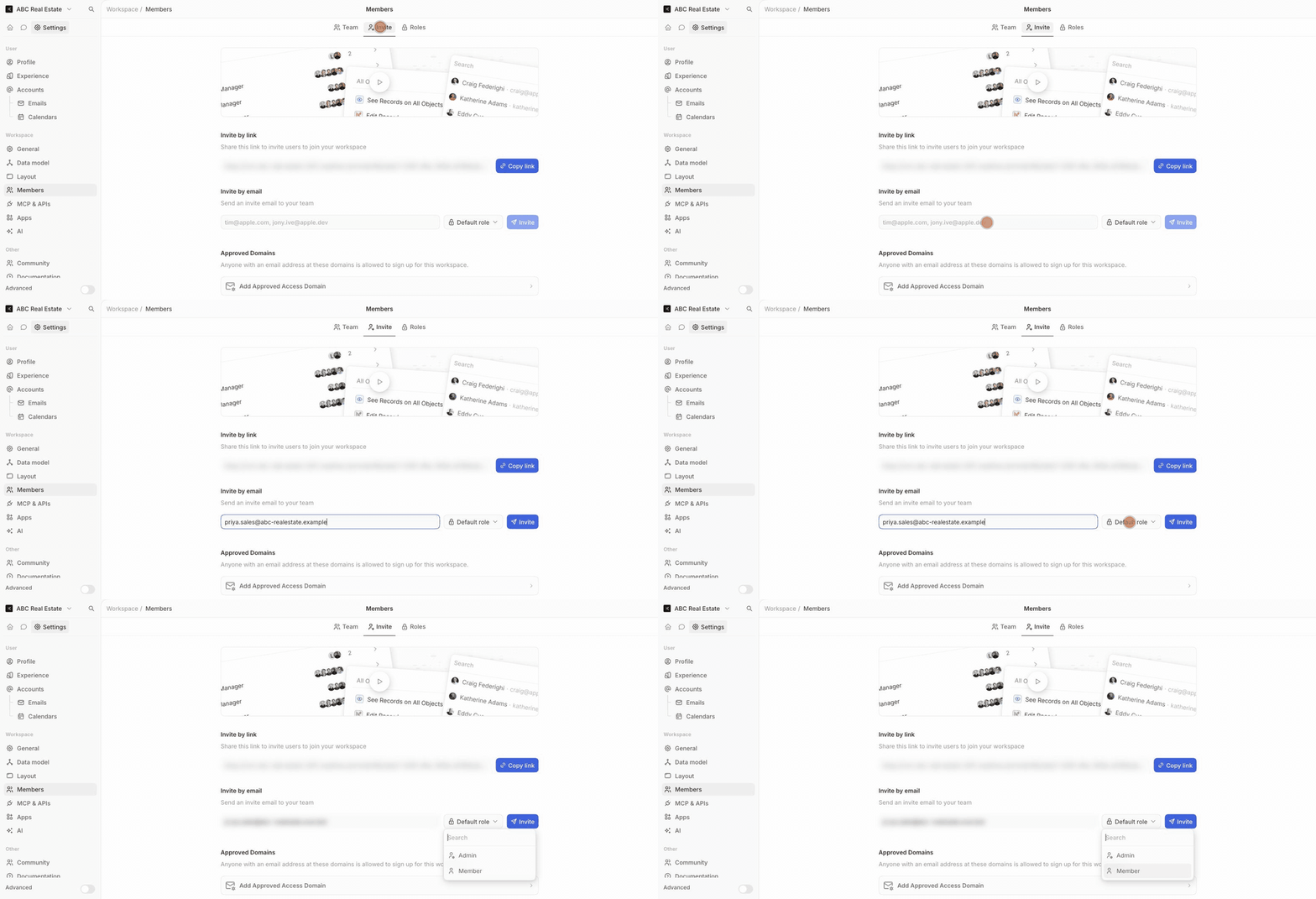
Settings → Members → Invite. Enter a teammate's email and choose a role, or copy the invite link. Teammates sign in to the CRM with their own email and password. Naadham Support in your member list is the account Naadham uses to keep your pipeline and sync working.
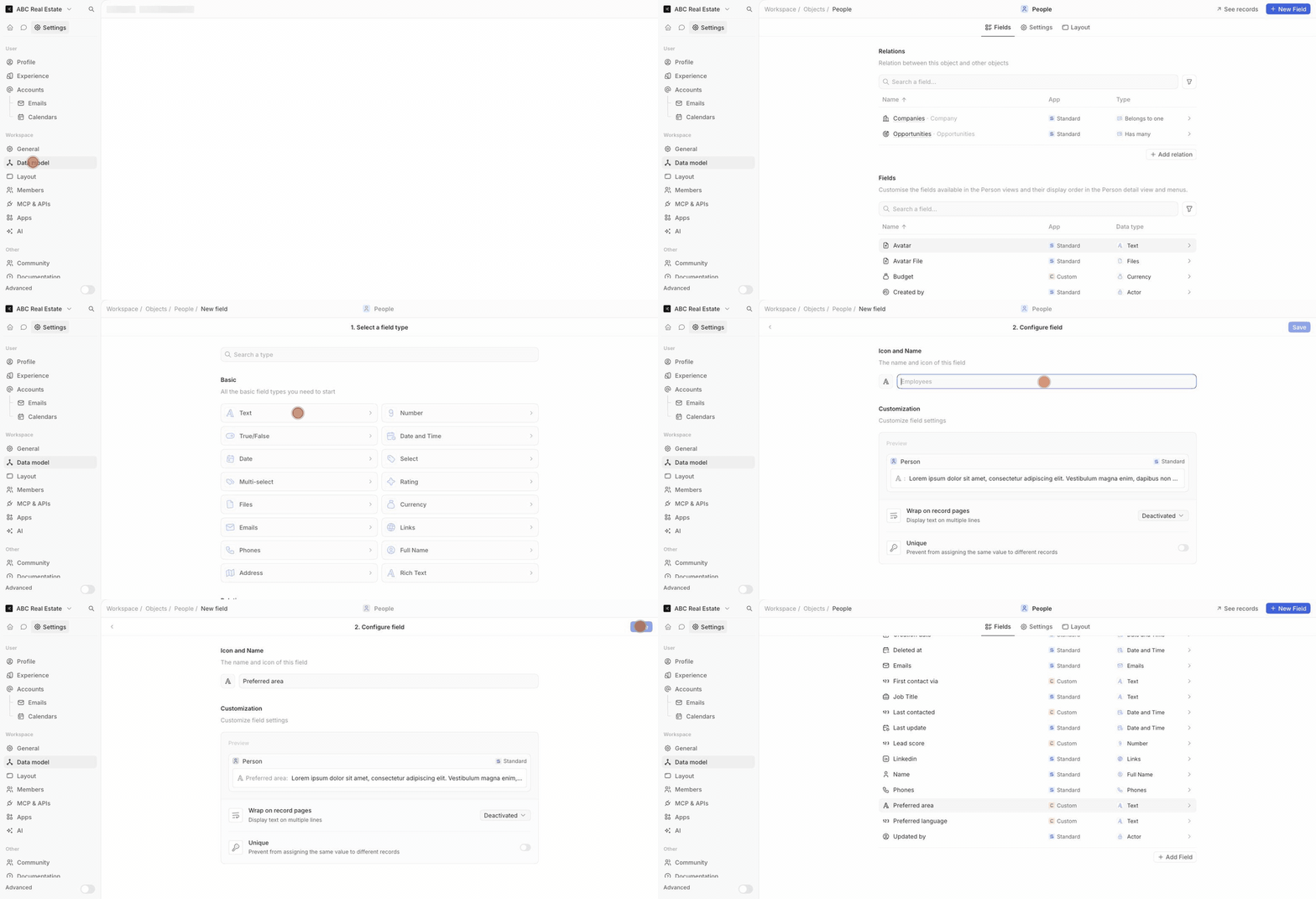
Settings → Data model → pick an object (for example People) → New Field. Choose a type — text, number, currency, date, select — name it and save. Example: a Site visited yes/no field on People. (Budget, Area and the other fields the AI fills are already there.)
The search icon at the top left finds people, deals and notes by name or number. Dashboards shows pipeline value by stage and deals by company; select Edit to add your own charts.
Naadham sets the stages for your business type when it creates your CRM. A booking moves a new deal to the second stage by itself; your team moves it the rest of the way. Choose a business type to see its stages:
You can rename, recolour or add stages in Settings → Data model → Opportunities → Stage.
| When this happens in Naadham | You get in the CRM |
|---|---|
| A caller rings your receptionist, or your campaign calls someone and they answer | The caller as a person (one per phone number), a note that opens with the AI's summary of the call, then what they asked for, area, budget, preferred time and next step, then the recording and transcript. The person's Status, Rating, Interested in, Area, Budget and Next step are filled from the call. A deal opens only when they are interested, asked for a call back or booked — its amount is the budget they told us. "Call me back on Friday" becomes a task due that day. |
| The receptionist books a slot | A task due at the appointment, and the deal moves to your booked stage. |
| A WhatsApp or web chat with a phone number | The person, a note with the conversation, and an open deal — the same person as their calls. |
| An outreach campaign calls or messages someone | A note per attempt (Answered, No answer, Replied…); a booking from outreach moves the deal forward. |
Times are shown in your business's local time. Calls with no caller number, and calls from your own business lines, are left out.
Press ↻ above the CRM in the Naadham portal. The portal signs you in with a one-time link; you never need a separate CRM password.
New activity arrives within about two minutes. Press Sync now on the portal's CRM page to pull it immediately. Calls without a caller number, and calls from your own business lines, are not added.
No. Naadham only ever moves a deal forward. If your team has moved a deal to a later stage, a new booking does not move it back.
Code steps are not available on Naadham's shared CRM servers. Create, update, search, filter, if/else, delay, form and HTTP steps work. In-CRM AI is not available yet.
Ask them to check spam for a message from Naadham CRM, or copy the invite link from Settings → Members → Invite and send it yourself.
The CRM is included from Growth. On Starter the CRM page shows the plans that include it. Contact [email protected] if you are on Growth or above and it is missing.
This checklist is a reading aid, not a change to your account.